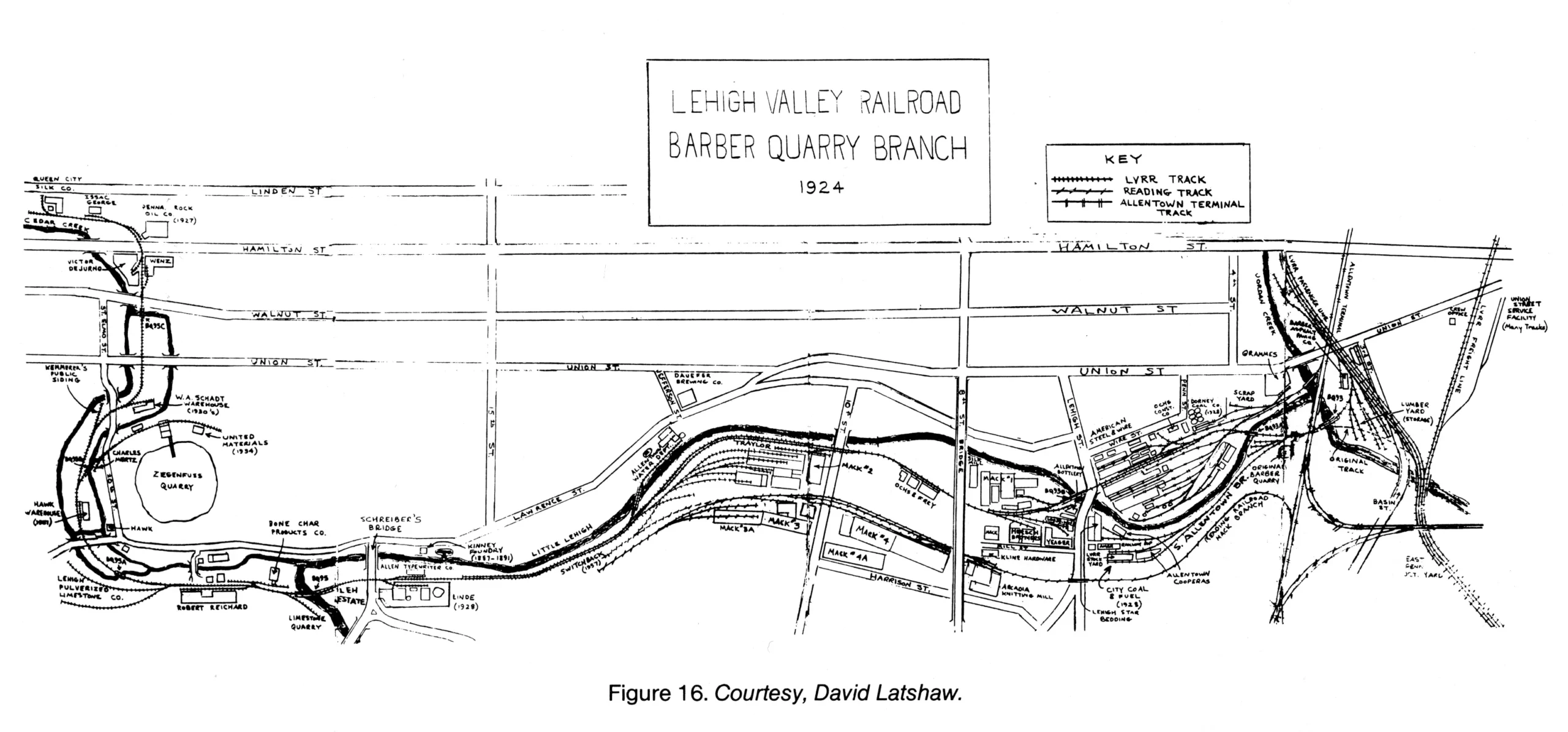
Source: Map from Proceedings of the Lehigh County Historical Society, vol. 38, Lehigh County Historical Society, 1988, p. 166.

Source: Map from Proceedings of the Lehigh County Historical Society, vol. 38, Lehigh County Historical Society, 1988, p. 166.
I wanted to use a Bluetooth Xbox controller with LineageOS Android TV running on an NVIDIA Jetson Nano 2GB. The Jetson Nano does not have built-in Bluetooth, so I used a TP-Link UB400 USB Bluetooth adapter.
The UB400 showed up as:
Vendor=0a12
Product=0001
Driver=btusb
This is what finally worked.
With the UB400 plugged in, check USB devices:
cat /sys/kernel/debug/usb/devices | grep -i -A14 -B4 -E 'bluetooth|0a12|csr|cambridge|tp-link'The important part is:
Vendor=0a12 ProdID=0001
Driver=btusb
Then check for the Bluetooth HCI device:
ls -l /sys/class/bluetoothA working result should show:
hci0The needed modules were already included in the LineageOS build:
btbcm
btintel
btrtl
btusb
The module load file was:
/vendor/lib/modules/modules.loadRemount /vendor as writable:
mount -o rw,remount /vendorThen add these lines to the bottom of /vendor/lib/modules/modules.load:
btbcm
btintel
btrtl
btusb
Order matters. btusb should come last.
Bluetooth worked only after the Bluetooth HAL was allowed to create and use its HCI socket.
The policy file was:
/vendor/etc/selinux/vendor_sepolicy.cilBack it up:
cp /vendor/etc/selinux/vendor_sepolicy.cil /vendor/etc/selinux/vendor_sepolicy.cil.bak-btfix
mkdir -p /vendor/etc/selinux/backup-btfix
Add this rule to the bottom of vendor_sepolicy.cil:
; Jetson Nano USB Bluetooth HAL socket fix
(allow hal_bluetooth_default hal_bluetooth_default (socket (create bind read write)))
Because Android was using a precompiled SELinux policy, move that out of the way:
mv /vendor/etc/selinux/precompiled_sepolicy* /vendor/etc/selinux/backup-btfix/Then reboot:
rebootThe UB400 created hci0, but Android’s Bluetooth stack crashed while trying to query LE vendor capabilities.
The fix was:
setprop bluetooth.core.le.vendor_capabilities.enabled falseTo make it persistent, add it to /vendor/build.prop:
mount -o rw,remount /vendor

grep -q '^bluetooth.core.le.vendor_capabilities.enabled=' /vendor/build.prop \
  && sed -i 's/^bluetooth.core.le.vendor_capabilities.enabled=.*/bluetooth.core.le.vendor_capabilities.enabled=false/' /vendor/build.prop \
  || echo 'bluetooth.core.le.vendor_capabilities.enabled=false' >> /vendor/build.prop
Then reboot again:
rebootAfter reboot:
getprop bluetooth.core.le.vendor_capabilities.enabledExpected:
falseThen check Bluetooth status:
dumpsys bluetooth_manager | grep -i -E 'enabled|state|address|name'A working result should show:
enabled: true
state: ON
name: SHIELD Android TVTo open the Android TV pairing screen:
am start -n com.android.tv.settings/.accessories.AddAccessoryActivityThen put the Xbox controller in pairing mode and select it from the list.
NVIDIA Jetson Nano 2GB
LineageOS Android TV
TP-Link UB400 USB Bluetooth adapter
Xbox Wireless Controller
After these changes, Bluetooth survived reboot and the Xbox controller connected normally.
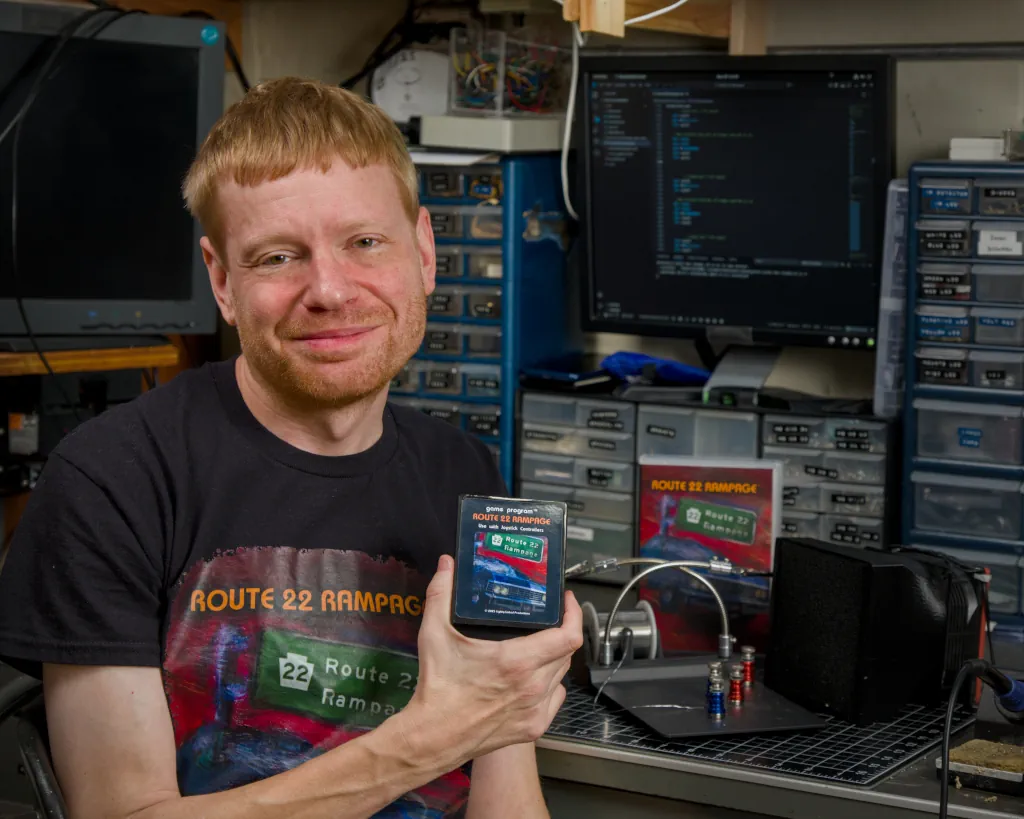
Lehigh Valley Press recently published a feature on my Atari 2600 video game Route 22 Rampage, a retro cartridge inspired by the joys and frustrations of driving Route 22 through the Lehigh Valley.
The article looks at the history of the Atari 2600, the surprisingly active modern Atari homebrew community, and how Route 22 Rampage was designed using just 128 bytes of memory. It also covers the hands-on process behind the game—everything from programming in Batari Basic and assembly language to 3D-printing cartridge cases and creating the artwork.
As I joked in the article, the game includes “traffic, potholes and just enough frustration to feel like home,” while still being more fun than the real commute.
The piece also touches on my background in photography, electronics, and film work, and how those interests fed into making a physical cartridge-based game in a mostly digital world.
Read the full article by Dave Howell at Lehigh Valley Press:
https://www.lvpnews.com/20260103/matthew-blum-got-game-with-his-route-22-video-game